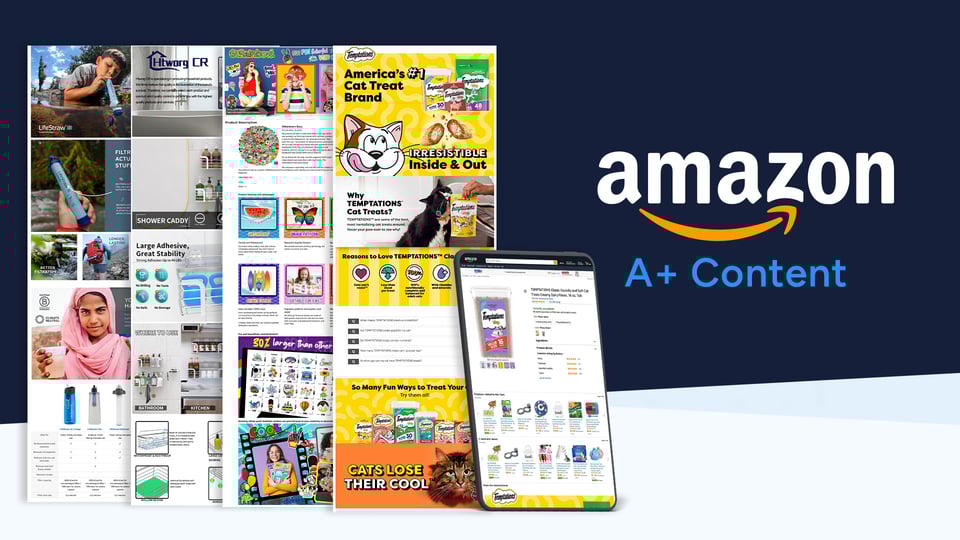
Brands selling on Amazon need to have a distinctive presence that captures customer attention. When hundreds of similar products are competing for the same shoppers, the quality of your listings becomes critical to your success. Brands that can take full advantage of Amazon A+ Content, give themselves the best chance of standing out from the crowd.
Below is a breakdown of why Amazon A+ Content is so important, its guidelines, and some A+ Content examples that exemplify best practices.
What is Amazon A+ Content?
A+ Content is a tool that allows you to create your own narrative with images and compelling copy. Accessible to Amazon’s brand-registered sellers and previously known as Enhanced Brand Content (EBC), it enables you to highlight your product’s unique features and share your brand story.
A+ Content offers different modules you can pick from, and you then have creative freedom to use images and text that tell more about your product and brand. This is where you can go deeper into the product’s benefits, talk about your company’s mission, and show different use cases.
Content included can be the brand logo, high-resolution images (including lifestyle and in-action shots), banners, infographics, slideshows, product carousels, 360-product views, comparison charts, and more.
Amazon A+ Content appears on the product listing page below the bullet points. Depending on the product category and whether shopping on a desktop or a mobile device, A+ Content may replace the product description or appear in addition to it.
Why is A+ Content so important?
A+ Content gives brands a place to shine on their product detail pages. While the titles, bullets, and production descriptions all follow the same format across your competitors’ listings, A+ Content is the one opportunity you have to stand out and show shoppers all they need to know about the product and the brand.
When executed well, A+ Content is proven to increase conversions. Amazon reported that incorporating A+ Content can increase product sales by an average of 3% to 10%. Having eye-catching imagery and informative text allows customers to learn as much as possible about the product before purchasing. This could result in a lower return rate and reduce negative reviews from misinformed customers.
A+ Content also allows brands to connect with customers on a more personal level by addressing pain points, showing real-world solutions, and giving shoppers more reasons to click the buy button. Strong A+ Content builds trust, improves engagement, and proactively answers customer questions.
Who can create Amazon A+ Content?
Amazon A+ Content is available to sellers and vendors who are enrolled in the Amazon Brand Registry. To qualify, brands must have an active or pending registered trademark and complete Amazon’s brand verification process.
Once approved, brand owners gain access to the A+ Content Manager in Seller Central or Vendor Central and can begin creating A+ Content for eligible ASINs.
What is Premium Amazon A+ Content?
Premium Amazon A+ Content, sometimes referred to as A++ Content, is an advanced version of standard A+ Content. It offers enhanced modules, larger images, interactive elements, and video support.
Premium A+ Content allows brands to create a more immersive shopping experience through features such as clickable Q&A sections, interactive comparison charts, and full-width visuals.
Amazon A+ Content vs Premium A+ Content
.png?width=1200&height=676&name=blogs%20%26%20tables%20(7).png)
Once you understand the differences, the next step is creating A+ Content in Seller Central.
How to create Amazon A+ Content step by step
- Log in to Amazon Seller Central
- From the main menu, go to Advertising, then select A+ Content Manager
- Click Start creating A+ Content
Choose the content type
- Select Basic A+ Content to add enhanced images and text modules
- Optionally, select Brand Story to showcase your brand narrative at the top of the listing
- You can use both Basic A+ Content and Brand Story on the same ASIN
Set up your content
- Enter a content name for internal reference
- Select the language for your marketplace
- Choose from Amazon’s available modules
-
- Standard A+ Content allows up to five modules
-
Modules include image and text blocks, comparison charts, product descriptions, and specification tables
-
- Upload high-resolution images that meet Amazon’s technical requirements
- Add concise, benefit-focused text that complements your bullet points
- Ensure all claims comply with Amazon A+ Content guidelines
Apply ASINs
- Click Apply ASINs and select the product listings where the A+ Content should appear
- Review placement to ensure the correct ASINs are selected
Submit for approval
- Submit the A+ Content for Amazon moderation
- Amazon reviews submissions for compliance with content and image guidelines
- Approval typically takes a few days, but may take up to seven days
- Once approved, the A+ Content goes live automatically on the product detail page
- You can edit published A+ Content at any time, but changes must be resubmitted for approval
Amazon A+ Content guidelines
It’s important to adhere to Amazon’s guidelines on what types of content are permitted and what to avoid. By not following these guidelines, you could risk Amazon rejecting your A+ Content or even the potential removal of the product listing.
Some essential guidelines to follow are:
Image file types supported are: .jpg, .bmp, and .png in the RGB colorspace
No animated images (for example, .GIF) allowed
Individual files must be under 2 MB. Resolution should be at least 72 dpi
No blurry or low-quality images and images with watermarks or small text that is unreadable
Cannot mention awards received more than 2 years ago, and must include a note in the text with the date when the award was given
Certification claims like recommended by, certified, tested, approved, proven, must be substantiated by a note in the text with supporting details
No environmental claims like “eco-friendly,” “biodegradable,” and “compostable,” or their symbols. Claims that a product is “recyclable” or ”ecological” must be substantiated by a note in the text with supporting information
No satisfaction or rating claims, like “100% satisfaction guaranteed,” "top-rated," "best-selling," etc.
No warranty or guarantee information
Any violations of Amazon policies, including restricted product policies, category requirements, or program policies are prohibited
Do not reference or compare your products with competitors
Comparison charts can only compare against your brand’s other products
No hyperlinks, external web links, or language attempting to redirect to other pages or sites, on or off Amazon.
The full list of Amazon’s A+ Content guidelines can be found here.
How to test and measure Amazon A+ Content performance
To understand whether your A+ Content is delivering results, it is important to track performance metrics over time. One of the most useful metrics is Unit Session Percentage, which shows how effectively your product detail page converts visitors into buyers.
By comparing Unit Session Percentage and traffic data before and after publishing A+ Content, you can get a clearer picture of its impact on conversions. These metrics can be found in Seller Central under Reports, then Business Reports.
Amazon also offers A/B testing through the Manage Your Experiments feature. This allows brands to test different versions of A+ Content against each other and identify which layout, messaging, or visual approach performs best. Controlled testing helps remove guesswork and supports data-driven optimization.
Creating A+ Content is only part of the challenge. As catalogs grow, maintaining accuracy, consistency, and visibility becomes increasingly difficult.
Does Amazon A+ Content affect SEO?
Amazon states that A+ Content is not indexed by its internal search algorithm and does not directly influence product rankings. However, A+ Content can still have an indirect impact on visibility and performance.
By improving conversion rates, reducing bounce rates, and increasing shopper confidence, well-optimized A+ Content can contribute to stronger overall listing performance. Some brands also optimize image alt text within A+ Content for external search engines, which may help drive additional traffic from outside Amazon.
Examples of Amazon A+ Content
We handpicked a few A+ Content examples below, along with a brief description of why each one deserves a callout.
1. Patelai 5-In-1 Slotted Spoon
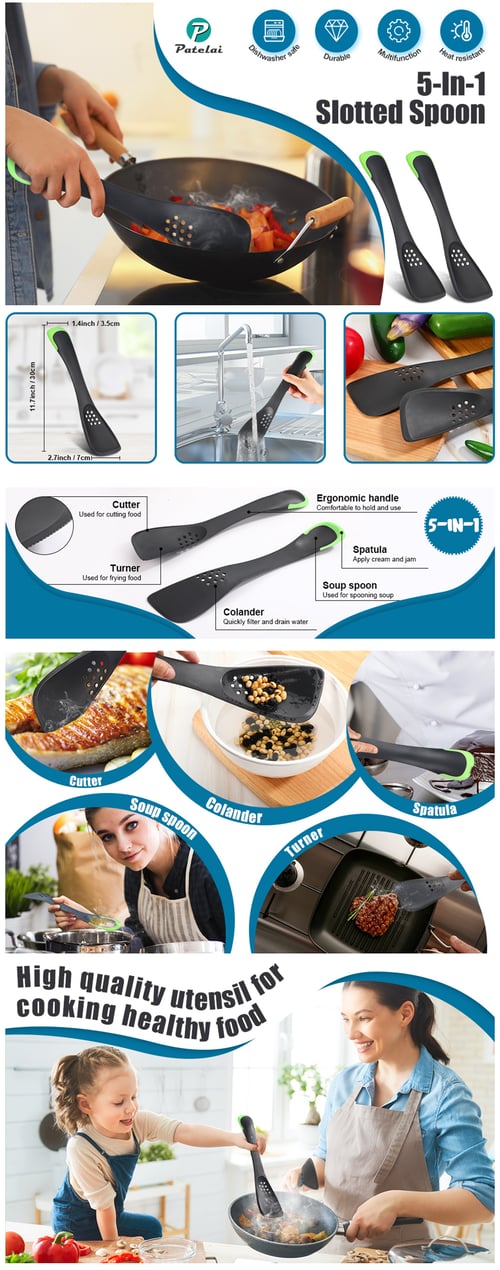
This cooking utensil is a cutter, spatula, spoon, colander, and turner all-in-one, with the A+ Content featuring in-action images that clearly show each use. It also has arrows pointing to each part of the utensil and listing its corresponding function. Although this example has minimal text, it’s not missed because everything is communicated well through the imagery alone.
2. Mighty Patch
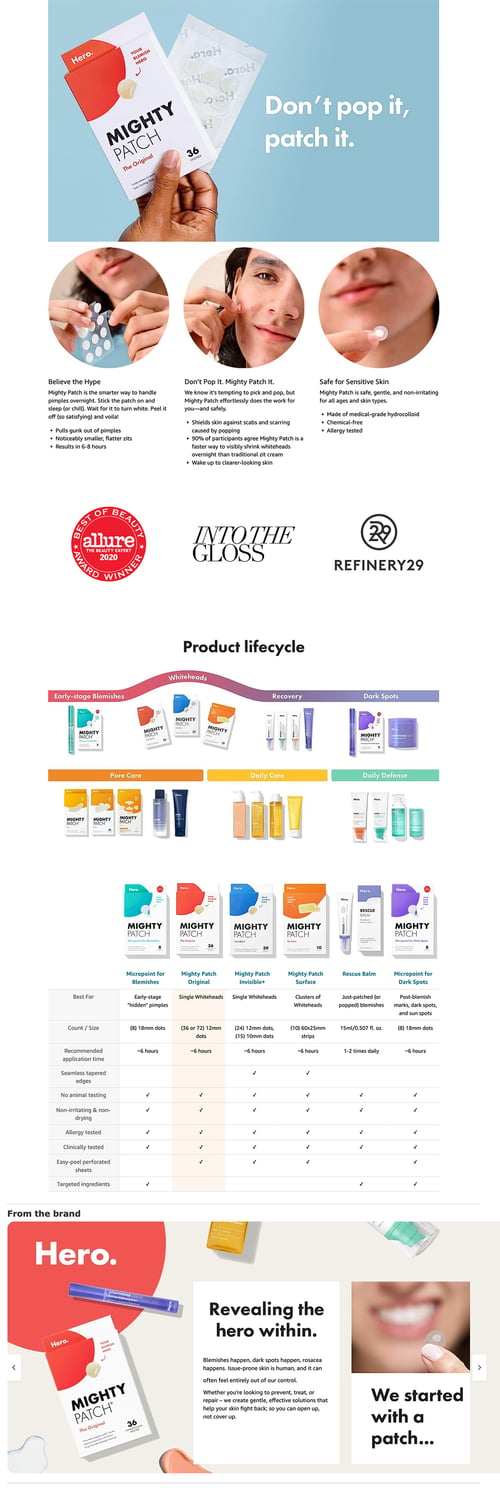
Mighty Patch has some mighty great content starting with its catchy slogan, “Don’t pop it, patch it,” in the banner. Also, like the logos highlighting the product’s third-party endorsements. But the best parts are the Product Lifestyle section, which cross-sells customers on the brand’s other products, showing what skin problems each one can be used for, followed by a comparison chart listing all the products.
3. LifeStraw Personal Water Filter

This example of Amazon A+ Content has a powerful banner image that conveys what the product is and what it does, and by showing a young boy using the product, it communicates that it must be safe. Scrolling down, we see that this is a Certified B Corporation, and proceeds from each sale are donated to a cause that has a perfect tie-in to this product. That purpose could be what drives customers to purchase this product over a competitor’s.
Is Amazon A+ Content worth it?
Given that A+ Content is free for brand-registered sellers and can improve conversions, engagement, and brand trust, it offers a strong return on investment. While it requires time and creative effort, the long-term benefits often outweigh the initial investment.
Final words
In a marketplace as competitive as Amazon, high-quality listing content can be the deciding factor between a click and a missed sale. When used effectively, Amazon A+ Content helps brands stand out with stronger visuals, clearer product context, and a more confident buying experience that builds trust and drives conversions.
Beyond A+ Content, maintaining accurate and consistent product data across Amazon listings is essential for long-term success. Marketplace integration platforms like ChannelEngine help brands manage and optimize their Amazon content at scale, reduce manual work, and stay aligned with marketplace requirements, creating a strong foundation for growth as content capabilities continue to evolve.
👉 Get a free consultation with our marketplace experts and discover how ChannelEngine can help you optimize, manage, and scale high-performing product content across channels.